
Updated on 10th october, 2026
Disclosure: MotoGearsPro is a participant in the Amazon Services LLC Associates Program. As an Amazon Associate, I earn from qualifying purchases. If you buy through links on this page, I may earn a commission at no extra cost to you.
I still remember riding through the dunes outside Dubai when my phone overheated, the screen became almost impossible to read in the harsh sunlight, and the mount began to loosen on the rough terrain. What should have been an exciting adventure quickly became a stressful exercise in guessing the route.
If you have dealt with a drained phone battery halfway through a tour, glare that makes directions unreadable, or a navigation app that struggles when mobile coverage disappears, you already know why choosing the right motorcycle GPS matters.
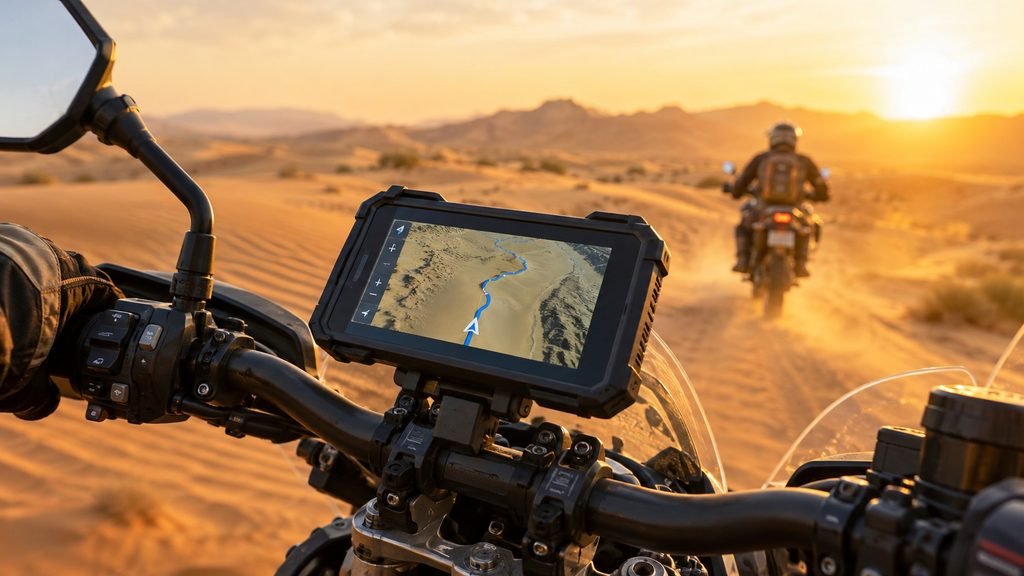
In 2026, riders have more options than ever. Dedicated motorcycle navigators such as the Garmin zūmo XT2 sit alongside rugged off-road units, minimalist turn-by-turn devices, and wireless Apple CarPlay or Android Auto displays that bring familiar phone apps to the handlebars.
The best choice depends less on the number of features a device offers and more on where and how you ride. This guide compares the main options for touring, adventure riding (ADV), commuting, and track days, with practical buying advice to help you choose a setup that suits your needs.
If you want a quick recommendation, start with the summary below. Before buying, confirm current specifications, map coverage, compatibility, and pricing with the manufacturer or retailer.
Quick Picks: Best Motorcycle GPS by Riding Style
- Touring: Garmin zūmo XT2 or TomTom Rider 550 for road-focused navigation and route planning.
- Adventure riding (ADV): Garmin Tread or Trail Tech Voyager Pro for rugged terrain and off-road-focused features.
- Commuting: Beeline Moto for simple turn-by-turn guidance, or a properly mounted smartphone or CarPlay/Android Auto display for live traffic.
- Track days: AiM Solo 2 for GPS lap timing and data logging, or Garmin Catalyst for riding analysis and coaching-style feedback.
These devices serve different purposes. A track-data logger is not a substitute for a road navigator, and a phone-mirroring display is not fully independent of your smartphone.
Why Your Riding Style Should Determine Your GPS
The right navigation setup should make riding easier, not add another distraction. Each riding style has different priorities:
- Touring riders benefit from comfortable screen viewing, dependable road routing, offline maps, and straightforward trip planning.
- ADV riders need rugged hardware, secure mounting, GPX route support, and maps that remain useful beyond cellular coverage.
- Commuters usually value quick rerouting, traffic information, simple operation, and a compact cockpit.
- Track riders need accurate lap timing, repeatable data, and tools that help them understand their performance.
Whatever your riding style, prioritize clear directions, a stable mount, weather resistance appropriate to your conditions, and controls you can use without taking unnecessary attention away from the road.
Best Motorcycle GPS for Touring in 2026
Touring often means spending hours on highways, mountain passes, and unfamiliar roads. A useful touring GPS should be easy to read at a glance, support dependable route planning, and keep working when the weather changes or mobile coverage fades.
Best Options for Touring
- Garmin zūmo XT2: A premium motorcycle navigator with a large, sunlight-readable display, glove-friendly controls, and a broad set of touring features.
- Garmin zūmo XT: An earlier model that may be available for less while still offering dedicated motorcycle navigation.
- TomTom Rider 550: A road-focused alternative known for route options designed to help riders discover scenic and winding roads.
Availability, software support, map coverage, and pricing can vary by region and retailer, so check the current details before choosing between models.

What Matters Most on a Long Tour?
A screen you can read in sunlight. A display that looks excellent indoors may be difficult to see at midday. Look for sunlight readability and an interface that remains clear at a glance.
Reliable power. Direct motorcycle power is useful for long days because it reduces dependence on the device’s internal battery. Check what cables and mounting hardware are included.
If you’re relying on your phone for navigation, a weather-resistant USB charger gives you a more dependable power source. See current options on Amazon.

Nilight 7/8inch Motorcycle Handlebar USB Charger PD Type C Voltmeter 12V
Offline maps. Mobile coverage can disappear in remote areas. Downloadable maps and routes help you keep navigating when a data connection is unavailable.
Useful points of interest. Fuel stations, accommodation, food, and other stops are particularly helpful on unfamiliar roads.
Practical route planning. If you build multi-day routes, check whether the device supports the file formats and planning tools you already use. Planning on a computer or phone can be more convenient than creating a long route on a small screen.
Garmin zūmo XT2: A Closer Look
The Garmin zūmo XT2 is a dedicated motorcycle navigator with a 6-inch sunlight-readable display and an IPX7 water-resistance rating. It is designed for handlebar use and includes motorcycle mounting hardware. Garmin lists the model as part of its zūmo range; confirm current availability and regional specifications before purchase.
Route Planning and Discovery
The XT2 offers route-planning tools that can help riders choose between efficient routes and more adventurous alternatives. Its mapping and route-discovery features are intended to make it easier to find interesting roads and plan trips.
The Garmin Tread smartphone app can be used for trip planning and route management. Check the current app and device requirements for the specific features you intend to use.
Group Rides, Ride Data, and Hands-Free Use
Depending on the feature, setup, and compatibility, the XT2 can support group-ride location sharing, ride summaries, and hands-free audio when paired with the required app, phone, or compatible headset. These features may rely on a connected smartphone, so they should not be treated as entirely independent of mobile connectivity.
For spoken directions that don’t pull your eyes off the road, a Bluetooth helmet communicator is worth looking at. Check compatibility with your GPS or phone before ordering.

Optional Accessories
Compatible accessories may include satellite communicators, group-ride equipment, a wireless backup camera, or a digital switch box. These are generally separate purchases, and some services require an active subscription. Verify compatibility and availability in your region before budgeting for add-ons.
| Specification | Garmin zūmo XT2 |
|---|---|
| Display | 6-inch, sunlight-readable |
| Water rating | IPX7 |
| Key features | Route planning and ride summaries |
| Included equipment | Navigator, motorcycle mount and hardware, motorcycle power cable, USB cable, and documentation (confirm the current package) |
| Warranty | Check the terms supplied in your region |
Before you buy: Some connected features depend on the Garmin Tread app and a compatible phone. Optional accessories can increase the total cost. Confirm the included hardware, warranty, and current feature requirements for your market.
Touring Scenario
Imagine riding across several countries over a week. You need to plan daily routes, find fuel and accommodation, and continue navigating when the signal becomes unreliable. A dedicated navigator with offline mapping, dependable power, and practical route-planning tools can reduce the amount of time you spend managing your phone.
Buying tip: Do not choose a touring GPS based on screen size alone. Check how easy it is to import routes, find stops, update maps, and operate the device with your riding gloves.
Wireless CarPlay and Android Auto Motorcycle Displays
Wireless CarPlay and Android Auto motorcycle displays have become an appealing alternative to traditional GPS units. These weather-resistant, handlebar-mounted screens connect to a compatible smartphone and show supported navigation, music, and communication apps.
Why Riders Consider Them
- Familiar navigation apps: Use supported apps such as Apple Maps, Google Maps, or Waze through the display.
- Potentially lower cost: Many phone-mirroring displays cost less than premium dedicated motorcycle navigators.
- A separate screen: A larger display can be easier to read than a phone mounted directly on the handlebars.
- Phone protection: With a compatible setup, the phone can remain in a pocket or tank bag rather than sitting in direct sunlight on the bars.
A waterproof tank bag gives your phone, cables, and backup map a protected place to ride. See this type of bag on Amazon.

What to Check Before Buying
Water-resistance rating: Look for a clearly stated IP rating and read the manufacturer’s limits. Marketing language such as “weatherproof” is not a substitute for a published specification.
Sunlight visibility: Read reviews from riders who use the display in conditions similar to yours. Screen brightness and glare control matter in direct sunlight.
Power and installation: Check the wiring requirements and use an appropriate fused accessory circuit or installation method recommended by the manufacturer.
Phone compatibility: Confirm support for your phone, operating system, and preferred navigation apps. Wireless connectivity and app behavior can vary.
Updates and warranty: Budget displays differ in software support, build quality, and after-sales service. Consider these factors alongside the purchase price.
A CarPlay or Android Auto display still depends on a compatible smartphone. Live traffic generally requires a data connection, although some navigation apps support downloaded offline maps. Offline functionality and available features depend on the app and how it is configured.
Best Motorcycle GPS for Adventure Riding (ADV)
Adventure riding can take you from paved roads to gravel, sand, mountain trails, and remote tracks in a single day. The equipment needs to cope with vibration, dust, water, and changing conditions. A road-focused navigator may not offer the mapping detail or ruggedness you need off-road.
Best Options for ADV Riders
- Garmin Tread: A rugged navigation system designed for off-road use, with mapping and terrain-focused features.
- Trail Tech Voyager Pro: An option to investigate for trail riding and off-road-specific information.
Compare the exact model, included maps, regional coverage, and mounting accessories before purchasing. Features can differ across versions and markets.
What Matters Most Off-Road?
Durability and weather protection. Look for a published water- and dust-resistance rating that suits your riding conditions. An IP67 rating, for example, indicates a defined level of dust protection and water immersion resistance under standardized test conditions; it does not mean a device is indestructible.
GPX support. GPX files make it easier to load routes or tracks shared by riding groups and route-planning communities. Check whether your device can import, display, and follow the type of GPX file you use.
A secure, vibration-resistant mount. Rough terrain can expose weaknesses in a mounting system. Choose a mount designed for your bike and device, and follow the manufacturer’s installation guidance.
Offline topographic maps. When you leave cellular coverage, stored maps and routes can be essential. Confirm that the maps cover your destination and provide the level of trail detail you need.
Group-riding tools. Some systems offer location sharing or communication features, but their requirements vary. Check whether they need cellular coverage, a compatible app, radios, subscriptions, or additional hardware.
Garmin Tread 2: A Closer Look
The Garmin Tread 2 is a rugged navigator with a 6-inch touchscreen and an IP67 water-resistance rating. It is designed for powersports use, including compatible motorcycle and off-road applications. Check the manufacturer’s current compatibility guidance for your vehicle and mounting setup.
Mapping for Off-Road Riding
Depending on the region and map package, Tread 2 mapping can include off-road routes, topographic information, elevation data, and points of interest. Some versions also support on-road mapping, which can help when travelling between home, a trailhead, and an off-road route.
Satellite imagery and premium mapping features may be available, but downloading, coverage, and subscription requirements vary. Confirm what is included with the device and what requires a separate service.
Features for Challenging Terrain
The device offers terrain-related information and sensors intended to help riders understand their surroundings. Available mounting options depend on the kit and vehicle. Bluetooth provides a way to connect with compatible phones and accessories.
Trip Planning and Group Riding
The Garmin Tread app can support trip planning and route sharing. Group-ride location features may require the app, compatible phones, Bluetooth, and active cellular service. That means live group tracking may not work in a true cellular dead zone, even if the device’s downloaded maps remain available.
| Specification | Garmin Tread 2 |
|---|---|
| Display | 6-inch touchscreen |
| Water rating | IP67 |
| Listed average battery life | Approximately 7 hours; actual use varies |
| Mapping | Confirm regional map coverage before purchase |
| Connectivity | Bluetooth |
| Mounting | Compatible handlebar mounting options; check the selected kit |
| Warranty | Check the terms supplied in your region |
| Model number | Confirm the model number and package with the seller |

Garmin Tread 2, Powersport Navigator, 6″ Glove-Friendly Display
Before you buy: Premium map services may require a subscription, and group tracking can depend on cellular coverage. Battery life varies with brightness, temperature, settings, and usage, so plan for motorcycle power on long rides. Most importantly, verify that the supplied maps cover the country or region where you intend to ride.
ADV Scenario
You are riding through a desert or mountain area where mobile service is unreliable. You need to follow a saved track, check the terrain, and retrace your route if conditions change. In this situation, rugged hardware, offline maps, reliable GPX handling, and a secure mount matter more than social features that need a network connection.
ADV buying tip: Load your routes and test the device before leaving. Check that the map data is stored locally, learn how to return to your track, and carry a backup navigation plan for remote trips.
Best Minimalist Motorcycle GPS for Commuting
Commuting is different from touring. In busy traffic, you need clear prompts, quick rerouting, and an interface that does not encourage you to stare at the screen.
Best Options for Commuters
- Beeline Moto: A minimalist navigation device that provides turn-by-turn guidance without displaying a full map.
- Smartphone navigation: Apps such as Google Maps, Waze, and Apple Maps can offer live traffic and rerouting when supported by your phone, app, and connection.
- CarPlay or Android Auto display: A useful middle ground if you want a dedicated screen for familiar phone apps.
What Matters Most for Daily Riding?
- Traffic and rerouting: Useful when road closures, congestion, or detours change your usual journey.
- Simple directions: Prompts should be easy to understand at a glance.
- Compact design: A smaller device can keep the cockpit uncluttered.
- Reliable daily connection: Consider how quickly the system connects and whether it requires you to open an app each time.
- Security when parked: A removable device or mount can be helpful if you leave the motorcycle in public areas.
Why Minimalist Navigation Can Work Well
Many commuters ride familiar routes most days. They may not need a full-color map; they simply need to know when to turn or take an alternative route. A minimalist device can provide that guidance with less visual clutter.
However, simpler displays may not show as much surrounding-road information as a full map. If you regularly navigate unfamiliar areas or rely on live traffic, a phone-based display may be a better fit.
Commuting Scenario
You are travelling to work during rush hour when a road closure forces a detour. A connected phone-based system may be able to reroute you quickly, while a minimalist device can keep routine directions simple. Choose based on whether traffic information or glanceable simplicity matters more to you.
Commuter tip: Smartphones can overheat, drain their batteries, or struggle in rain and vibration. Use a suitable mount, protect the phone from direct sun where possible, and check whether your device and phone are compatible.
Best GPS Lap Timers and Data Tools for Track Days
On a race track, navigation is usually not the priority. Lap timing and performance analysis are. A dedicated track tool can help you compare sessions and identify where you are gaining or losing time.
Best Options for Track Days
- AiM Solo 2: A GPS lap timer and data logger designed for motorsport use.
- Garmin Catalyst: A track-focused system that provides riding analysis and coaching-style feedback.
These are performance tools rather than replacements for everyday road-navigation devices. Check track compatibility, mounting requirements, data features, and any rules imposed by the circuit.
What Matters Most on Track?
Lap timing consistency. Reliable timing helps you compare sessions and assess whether changes to your riding are making a difference.
Speed and braking data. Depending on the device and available sensors, data can help you understand braking points and speed changes.
Cornering analysis. Reviewing entry speed, minimum corner speed, and exit speed can highlight areas for improvement.
Predictive lap timing. Some systems estimate whether you are ahead of or behind a reference lap during a session.
Useful analysis software. Data is only valuable if you can review it clearly after the session and understand what to change.
How to Use Track Data Effectively
Start with a few consistent sessions. Compare your fastest lap with representative laps, then focus on a small number of measures, such as braking points, minimum corner speed, and throttle application. Change one variable at a time where practical so you can assess its effect.
Use data to support your judgment, not to push beyond your skill level or ignore track conditions. Follow the circuit’s safety rules and keep your attention on riding while on track.
Track-Day Scenario
You are trying to improve your lap time but cannot identify where you lose time. A lap timer and analysis system can help reveal differences between laps and highlight sections worth reviewing. The goal is consistent, controlled improvement—not chasing a number at the expense of safety.
Key Features to Consider Before Buying Any Motorcycle GPS
Regardless of your riding style, evaluate these essentials before spending money.
- Screen visibility: Check readability in direct sunlight and whether the controls work with your gloves.
- Weather protection: Look for a published IP rating and follow the manufacturer’s limits for rain, dust, and cleaning.
- Power and battery life: Consider whether the device can run for your typical ride or be powered safely from the motorcycle.
- Mounting stability: Make sure the mount fits your handlebar and device and is designed to withstand vibration.
- Connectivity: Bluetooth, Wi-Fi, phone pairing, and live features vary by model. Determine which connections you actually need.
- Offline maps: Confirm that maps and routes can be stored on the device or phone for use without mobile data.
- Map coverage and updates: Check that the device covers your country and find out how updates are provided and whether they cost extra.
- Route-file compatibility: If you use GPX routes, verify how they import and whether the device follows tracks, routes, or both.
- Total cost: Include mounts, cables, map subscriptions, communication accessories, and any required services.
- Support and warranty: Review regional warranty terms, software support, and the availability of replacement parts.
Motorcycle GPS vs. Smartphone Navigation: Heat, Glare, and Reliability
A smartphone is convenient because you already own it and probably use familiar navigation apps. But motorcycle use can expose it to heat, vibration, rain, and direct sunlight in ways everyday use does not.
Why Phones Can Overheat on Motorcycles
A phone mounted on the handlebars may be exposed to direct sun while running GPS, mobile data, a bright screen, and charging at the same time. Those demands generate heat, and hot ambient conditions make it harder for the device to cool down. Depending on the phone, it may dim the display, slow down, pause charging, show a temperature warning, or temporarily disable functions.
Vibration is another concern. Some motorcycles can transmit vibration that may damage sensitive phone-camera components, particularly when the phone is mounted without appropriate vibration isolation. Check your phone manufacturer’s guidance and use a suitable vibration-dampening mount where recommended.
How to Reduce Smartphone Overheating
- Keep the phone out of direct sunlight where practical, using a suitable shade or a protected location.
- Avoid unnecessary high-speed charging in very hot conditions.
- Download offline maps before the ride to reduce dependence on mobile data.
- Use a mount with vibration damping that is appropriate for your phone and motorcycle.
- Keep the phone and mount away from locations where engine or exhaust heat builds up.
- Consider a CarPlay or Android Auto display that lets the phone remain protected, while remembering that the phone is still required.
Dedicated Motorcycle GPS
Advantages
- Usually designed for motorcycle weather exposure and handlebar use.
- Often supports glove-friendly controls.
- Commonly provides offline mapping.
- Reduces dependence on a phone’s screen being exposed on the handlebars.
Trade-offs
- Higher initial cost.
- May have a less flexible app ecosystem than a smartphone.
- Some advanced features require a companion app, accessories, or subscriptions.
- Map coverage and updates vary by model and region.
Smartphone Navigation
Advantages
- Uses a device you may already own.
- Offers familiar apps and, in many cases, live traffic.
- Can be inexpensive to set up.
- Provides functions beyond navigation.
Trade-offs
- Can overheat or dim in hot, sunny conditions.
- May be difficult to read in glare.
- Needs appropriate protection from rain and vibration.
- Battery use can be high, especially with the screen bright and data active.
The Verdict
For frequent touring and demanding off-road riding, a dedicated motorcycle GPS can be a worthwhile investment if its maps, durability, and features match your routes. For commuting, a smartphone or phone-mirroring display may be sufficient, provided you manage heat, weather protection, power, and mounting. Track riders should choose a purpose-built lap timer or data system rather than a road navigator.
Motorcycle GPS Comparison by Riding Style
| Feature | Touring | Adventure riding | Commuting | Track riding |
|---|---|---|---|---|
| Main priority | Comfortable road navigation | Rugged off-road navigation | Simple directions and rerouting | Lap timing and performance data |
| Display preference | Large and sunlight-readable | Clear and glove-friendly | Compact or phone-sized | Easy-to-read data display |
| Durability needs | High | Very high | Depends on exposure and setup | Secure mounting and track suitability |
| Power needs | Reliable power for long days | Reliable power for remote rides | Convenient daily charging | Sufficient power for track sessions |
| Mapping or data | Road maps and route planning | Offline topographic maps and GPX support | Live traffic and turn prompts | Lap timing, speed, and riding analysis |
| Useful features | Route planning and points of interest | Track recording and terrain information | Fast rerouting and simple operation | Session comparison and predictive timing |
| Example options | Garmin zūmo XT2, TomTom Rider 550 | Garmin Tread, Trail Tech Voyager Pro | Beeline Moto, smartphone, CarPlay display | AiM Solo 2, Garmin Catalyst |
These categories are general guidelines rather than a guarantee that every model has every feature. Verify the exact specifications and regional availability of each device.
Budget vs. Premium Motorcycle GPS
Budget Setups
Lower-cost options can include a smartphone with a suitable mount, a minimalist navigation device, or a phone-mirroring display. These can work well for commuting and occasional rides, but the overall value depends on screen visibility, weather protection, mount quality, phone compatibility, and support.
Do not assume every inexpensive unit is poorly made—or that every expensive unit is right for you. Compare the features you will actually use and account for the cost of necessary accessories.
Premium Dedicated Navigators
Premium units can be attractive to frequent tourers and ADV riders who need robust hardware, offline mapping, route-planning tools, and motorcycle-specific mounting. Some models also support specialist accessories or advanced data features.
The extra cost is worthwhile only if those capabilities solve real problems for your riding. A commuter who follows the same route every day may not need an expensive navigator, while a rider travelling remote routes may value its durability and offline functionality.
Smart buying advice: Compare the full setup cost, not just the device price. Include mounts, power cables, subscriptions, map services, and accessories you genuinely need.
Motorcycle GPS Trends to Watch in 2026
Motorcycle navigation continues to evolve. Features and availability vary by manufacturer, but several developments are shaping the market:
- More connected route planning: Companion apps make it easier to plan, transfer, and share routes.
- Richer mapping and terrain information: Some devices offer more detailed off-road maps, elevation information, and downloadable imagery.
- Wireless phone-mirroring displays: CarPlay and Android Auto-style screens give riders access to familiar apps through a dedicated handlebar display.
- Group-riding features: Certain ecosystems support location sharing, though some features depend on mobile coverage or extra equipment.
- Helmet and headset integration: Compatible systems can provide spoken directions and supported audio features.
- More performance feedback: Track-focused products combine lap timing with tools designed to help riders review their sessions.
Treat features described as “smart” or “AI-assisted” carefully: check what the product actually does today, what requires a subscription, and whether the feature is available in your region. A manufacturer’s feature list is more useful than a broad trend claim.
Common Motorcycle GPS Buying Mistakes
Avoid these common pitfalls:
- Buying on price alone. A low-cost device may not provide the mapping, visibility, or durability your rides require.
- Ignoring weather ratings. Check the published rating and its limitations rather than relying on vague waterproofing claims.
- Choosing a car GPS for motorcycle use. Car units may not be designed for handlebar vibration, rain, or glove operation.
- Overlooking map coverage. Make sure the maps include the country, trails, and roads you intend to use.
- Forgetting mounting stability. A poor mount can become a distraction and may put the device at risk.
- Assuming every feature works offline. Maps may work without data while live traffic, group tracking, or other connected features do not.
- Ignoring phone heat and vibration. If you rely on a phone, plan for hot weather and use a suitable mounting system.
- Forgetting extra costs. Accessories, subscriptions, replacement mounts, and power adapters can change the real price.
- Not testing the setup before a long ride. Import a route, check the screen in daylight, and confirm the power connection before departure.
Practical Tips for Choosing the Right Motorcycle GPS
- Start with the routes you ride most often, not the longest feature list.
- Test screen readability in conditions similar to your usual rides.
- Check glove compatibility and whether the controls are easy to use at a glance.
- Verify offline maps, GPX support, and regional coverage if you travel outside familiar areas.
- Read owner reviews that discuss long-term use, heat, vibration, mounting, and software support.
- Check warranty terms and the availability of replacement mounts or cables.
- Plan a backup for remote rides, such as a downloaded route on a second device or a paper map where appropriate.
- Set up routes and test the equipment before setting off. Do not try to troubleshoot complicated settings while moving.
Frequently Asked Questions
1. What Is the Best Motorcycle GPS for Touring in 2026?
The Garmin zūmo XT2 is a premium option worth considering for road touring because of its large, sunlight-readable display and route-planning features. The TomTom Rider 550 is another road-focused option. Compare current pricing, map support, and regional availability before choosing.
2. What Are the Best Garmin zūmo XT2 Alternatives?
Alternatives include the original Garmin zūmo XT, TomTom Rider 550, Garmin Tread for off-road-focused riding, and a compatible CarPlay or Android Auto motorcycle display if you prefer phone-based navigation.
3. Does Wireless CarPlay Work on a Motorcycle?
Yes. A compatible motorcycle display can show supported Apple CarPlay apps when paired with a compatible iPhone. Some products also support Android Auto. Check the display’s compatibility, weather rating, and power requirements. The phone remains part of the system.
4. What Is a Good Rugged GPS for ADV Riding?
The Garmin Tread range and Trail Tech Voyager Pro are options to compare for off-road use. Look closely at offline map coverage, GPX support, mounting, durability, and whether any group features need cellular service.
5. Why Does My Phone Overheat When I Use It for Motorcycle Navigation?
Direct sunlight, a bright screen, GPS, mobile data, and charging can all contribute to heat. High ambient temperatures make cooling harder. Try shading the phone, downloading maps, reducing unnecessary charging, and using a vibration-dampening mount. A phone-mirroring display may let you keep the phone out of direct sun.
6. What Is the Best Minimalist Motorcycle GPS for Commuting?
The Beeline Moto is an option for riders who prefer simple turn-by-turn prompts instead of a full map. If live traffic and frequent rerouting are important, compare it with smartphone navigation or a compatible phone-mirroring display.
7. What Is the Best Track-Day Lap Timer?
The AiM Solo 2 is a GPS lap-timing and data-logging option. Garmin Catalyst is designed to provide track-focused analysis and coaching-style feedback. The best choice depends on the data you want to review and the system that suits your track-day routine.
8. Do Motorcycle GPS Devices Work Without Internet Access?
Many dedicated navigators can use maps stored on the device without an internet connection. However, live traffic, weather, group tracking, and other connected services may require cellular data or a paired phone. Download maps and routes before leaving coverage.
9. What Is the Best Motorcycle GPS for Beginners?
A simple option such as Beeline Moto may suit a beginner who wants straightforward turn-by-turn guidance. Riders who prefer seeing the full map may find a smartphone or dedicated navigator easier. Choose a setup that is simple to read and operate without distracting you from traffic.
10. Is an Expensive Motorcycle GPS Worth It?
It can be worthwhile if you ride frequently, travel through remote areas, or need robust hardware and dependable offline navigation. For occasional city rides, a well-mounted phone or a more affordable navigation display may be enough.
Final Thoughts
The best motorcycle GPS is not necessarily the most expensive or feature-packed device. It is the one that fits your riding style, routes, and conditions.
For long-distance touring, prioritize readable screens, dependable power, offline maps, and route-planning features. Adventure riders should look for rugged construction, GPX support, secure mounting, and regional off-road maps, while commuters may benefit most from simple directions and quick rerouting. For track days, a dedicated lap timer or data system is the better choice for reviewing performance and tracking progress.
Decide what you need before comparing models, check the specifications that matter, and test your setup before relying on it for a long ride. The right navigation system should reduce uncertainty and help you focus on the ride ahead—not create another problem to solve.
Editorial note: Product specifications, prices, map coverage, accessories, and connected features can change. Confirm current details with the manufacturer before purchasing.