
Disclosure: As an Amazon Associate, MotoGearsPro earns from qualifying purchases. If you buy through links in this article, we may earn a small commission at no extra cost to you.
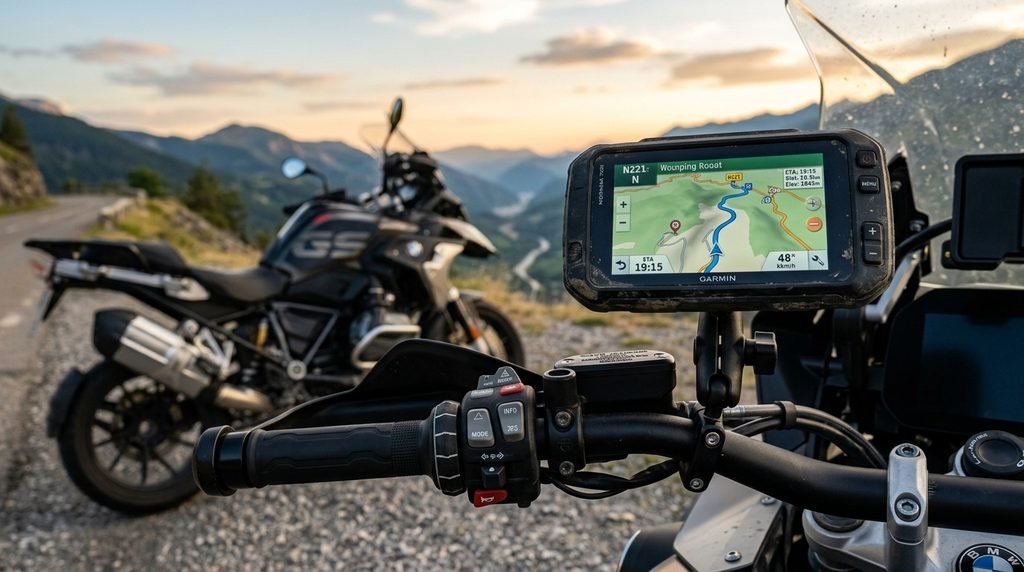
Knowing how to mount a GPS on a motorcycle can make navigation easier on daily commutes, weekend rides, and long-distance touring trips. A properly installed GPS keeps directions visible while helping you avoid holding your phone or looking down at a tank bag for instructions.
However, choosing the right location is just as important as choosing the device. Your motorcycle’s handlebar design, available mounting space, vibration levels, and power options all affect the installation. This guide explains the main mounting options, the tools you may need, and the checks to complete before riding.
Why Proper Motorcycle GPS Mounting Matters
A secure mount helps keep your navigation device in place over bumps, rough roads, and long rides. Poor positioning can block the instrument cluster, interfere with steering, or force you to look away from the road for too long.
Before deciding how to mount a GPS on a motorcycle, consider visibility, stability, weather protection, and whether you can reach the device safely when stopped. The GPS should be easy to glance at without obstructing your view of traffic.
Types of Motorcycle GPS Mounts
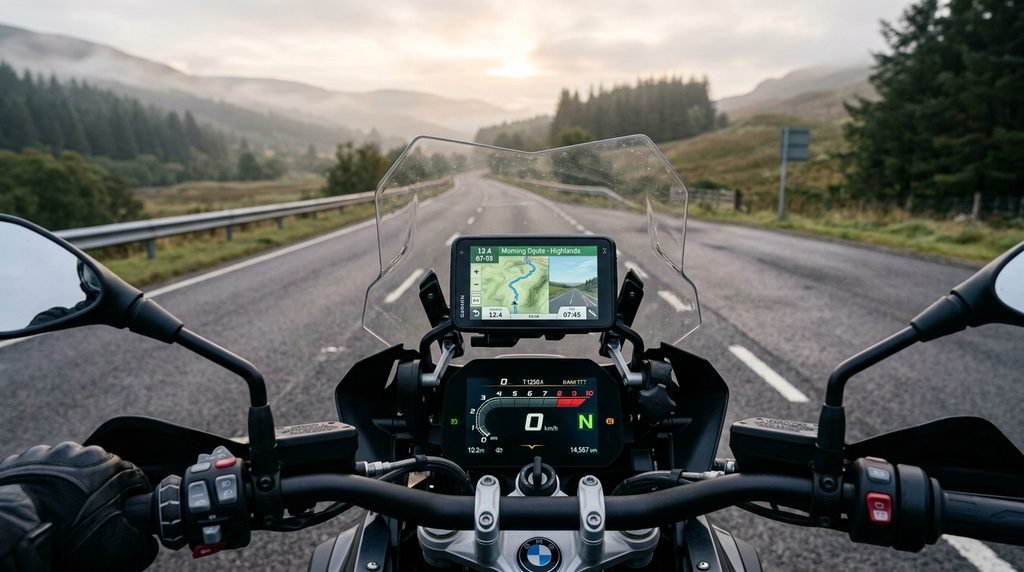
Different motorcycles require different mounting solutions. The best option depends on your handlebar layout, the GPS model, and the available attachment points.
1. Handlebar Mount
A handlebar mount is a common choice for motorcycles with enough exposed handlebar space. It can provide a convenient viewing position and is often straightforward to install.
Check the handlebar diameter and the mount’s compatibility before buying. Make sure the clamp does not interfere with switches, brake or clutch controls, or cables.
2. Fork-Stem Mount
A fork-stem mount fits into a compatible opening in the steering stem. It can be useful on some sportbikes where the handlebars have limited free space.
Not every motorcycle has a suitable opening, so confirm compatibility with the motorcycle and the specific mount before ordering.
3. Mirror-Stem Mount
A mirror-stem mount uses a compatible mirror mounting point. It may help when the handlebar area is crowded, but the device’s position can vary depending on the motorcycle’s design.
Check that the mount does not obstruct the mirror’s adjustment or reduce your view behind you.
4. Crossbar or Accessory-Bar Mount
Some adventure and touring motorcycles have a crossbar or accessory bar that can support a compatible GPS mount. This can provide a central viewing position, depending on the cockpit layout.
Confirm the bar’s diameter, load capacity, and compatibility with your mounting hardware.
5. Dedicated GPS Mounting Kit
Some GPS devices have motorcycle-specific mounting kits or cradles. These may include a locking mechanism, power connections, and hardware designed for a particular device.
Read the manufacturer’s instructions and verify that the kit fits both your GPS and motorcycle.
How to Choose the Right GPS Mount
When researching how to mount a GPS on a motorcycle, start with compatibility rather than appearance. A mount that looks suitable may not fit your handlebars, steering stem, or GPS cradle.
| What to check | Why it matters |
|---|---|
| Motorcycle compatibility | Ensures the mount fits the intended mounting point |
| GPS dimensions | Helps confirm that the device fits securely in the cradle |
| Handlebar or stem size | Prevents buying incompatible clamps or adapters |
| Vibration protection | Helps reduce vibration reaching the device |
| Weather resistance | Matters for riding in rain and changing conditions |
| Power requirements | Determines whether USB or a dedicated power connection is suitable |
| Steering clearance | Helps prevent interference with controls and cables |
Read the manufacturer’s specifications before purchasing. If you use a phone for navigation instead of a dedicated GPS, consider a suitable vibration-damping mount, particularly if your phone has a camera system sensitive to motorcycle vibration.
Tools You May Need
The tools depend on the mounting system. Common items include:
- Allen keys or hex keys
- Screwdrivers
- The correct mounting hardware
- A torque wrench if the manufacturer specifies torque settings
- Cable ties or suitable cable-routing clips
- The GPS device and compatible cradle
- The correct power cable, if required
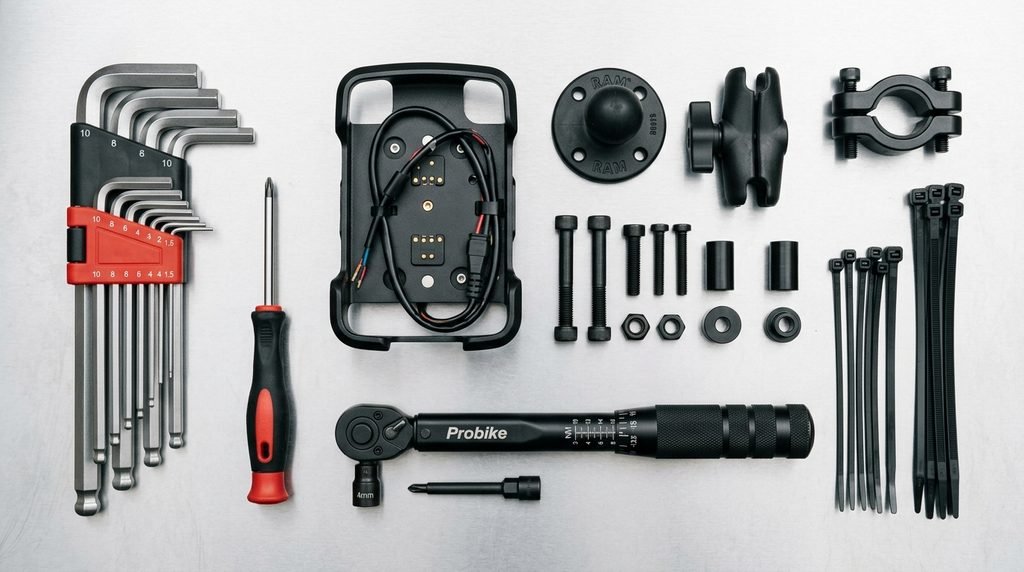
Avoid tightening bolts by guesswork when the manufacturer provides a torque specification. Excessive tightening can damage mounting hardware or motorcycle components.
If you don’t own a low-range torque tool, this option on Amazon can help you tighten mounting hardware to the manufacturer’s spec
Step-by-Step Installation
Step 1: Choose the Mounting Position
Sit on the motorcycle in your normal riding position and check where the GPS screen will sit. You should be able to glance at the display without blocking your view of the road or instrument cluster.
Consider how the screen looks in daylight and whether the position will remain practical with your usual riding gear.
Step 2: Confirm Compatibility
Check the mounting instructions and confirm that the hardware fits your motorcycle and GPS model. If you are unsure how to mount a GPS on a motorcycle with limited handlebar space, check whether your bike supports a fork-stem, mirror-stem, or accessory-bar mount.
Do not force a clamp or adapter to fit a mounting point it was not designed for.
Step 3: Install the Base
Attach the mounting base according to the manufacturer’s instructions. Ensure that the clamp or adapter sits correctly and that any required spacers are installed.
Tighten the fasteners to the specified torque, where provided. Recheck the base for movement before attaching the device.
Step 4: Attach the Arm and Cradle
If your mounting system uses an adjustable arm, position it so the screen is visible and the assembly remains stable. Secure the cradle according to its instructions.
Avoid extending the arm farther than necessary. A shorter, properly positioned assembly can reduce leverage and unwanted movement.
Step 5: Secure the GPS
Fit the GPS into its cradle and engage the locking mechanism, if included. Check that the device cannot easily lift or slide out.
If the system includes a safety tether, install it as directed. A tether is a backup measure, not a replacement for a correctly secured mount.
Step 6: Adjust the Viewing Angle
Tilt the screen to reduce glare and make directions easy to read. Check the position from your normal riding posture rather than standing beside the motorcycle.
Keep the display clear of the windscreen edge, mirrors, and instrument panel.
Step 7: Route the Power Cable
If your GPS requires external power, route the cable away from hot engine components, sharp edges, moving parts, and areas where the steering could pinch it.
Leave enough slack for full steering movement without allowing the cable to hang loosely. Follow the device and motorcycle manufacturers’ instructions for electrical connections.
A set of reusable cable ties makes it easier to secure and adjust your cable routing. Check the latest price on Amazon
Step 8: Check Steering and Control Clearance
Turn the handlebars fully to the left and right while the motorcycle is stationary. Confirm that the GPS, mount, and cable do not interfere with the throttle, clutch, brake controls, mirrors, or other components.
If anything catches, pulls, or makes contact, adjust the installation before riding.
Step 9: Complete a Final Security Check
Check the fasteners, cradle, device lock, cable routing, and screen angle. Follow the manufacturer’s inspection recommendations and recheck the installation after the first short ride.
Never adjust the GPS mount while moving. Stop somewhere safe before making changes.
Where to Mount a GPS When Handlebar Space Is Limited
Sportbikes often have less free mounting space than touring or adventure motorcycles. In this situation, consider a compatible fork-stem mount, mirror-stem mount, or dedicated bracket designed for your motorcycle.
Before choosing an alternative, check that it does not interfere with steering, instrument visibility, brake or clutch controls, or mirror adjustment. Avoid mounting the device where it can contact the fuel tank or windscreen during full steering movement.
Motorcycle GPS Vibration Protection
Motorcycles transmit vibration through their frames and mounting points. The level and type of vibration depend on the motorcycle, engine, mounting location, and road surface.
Use mounting hardware recommended for your GPS or phone. A vibration-damping system may help reduce the vibration reaching a sensitive phone camera, but it cannot guarantee protection in every situation.
Check the mount regularly for loose fasteners, worn rubber parts, cracks, or unwanted movement. Replace damaged components rather than continuing to use them.
USB Power or Direct Motorcycle Wiring?
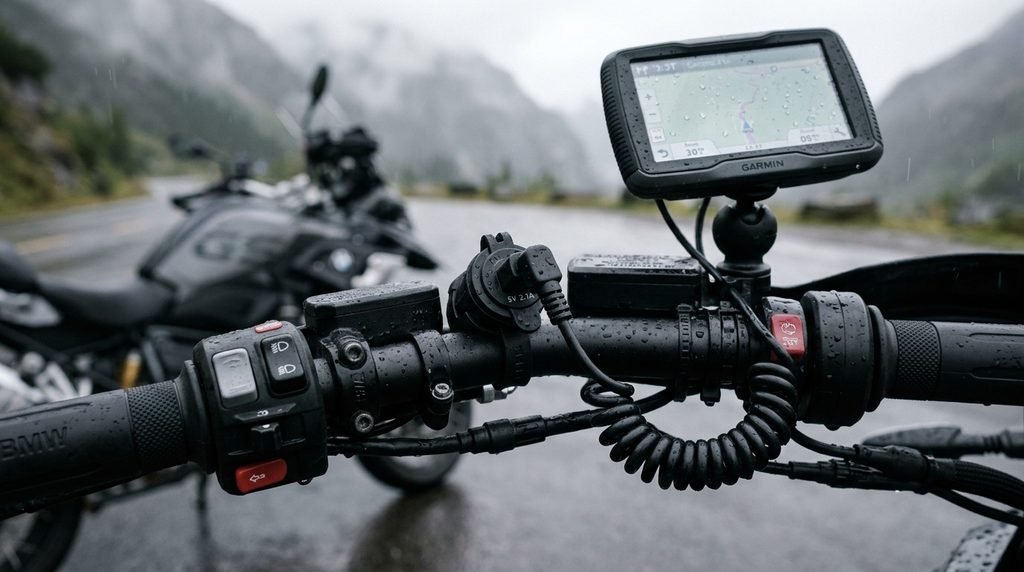
Your power setup depends on the GPS device, motorcycle electrical system, and manufacturer’s instructions.
| Power option | Advantages | Considerations |
|---|---|---|
| USB power | Convenient for compatible devices and removable setups | Check output requirements, weather protection, and cable security |
| Dedicated motorcycle wiring | Can provide a more permanent installation | Requires correct wiring, circuit protection, and suitable electrical knowledge |
| Internal battery | Avoids permanent wiring | Runtime depends on the device and may be insufficient for long rides |
If you choose direct wiring, follow the motorcycle and GPS manufacturers’ instructions. Use appropriate circuit protection and avoid connecting wires randomly to the battery or other electrical components. If you are unsure, ask a qualified motorcycle technician.
If you plan to power your GPS on longer rides, check the latest price on a weather-resistant motorcycle USB charger on Amazon
Common Motorcycle GPS Mounting Mistakes
Avoid these common errors:
- Buying a mount without checking compatibility.
- Positioning the GPS where it blocks the instrument cluster or road view.
- Overtightening fasteners.
- Routing cables near hot or moving components.
- Leaving insufficient cable slack for steering movement.
- Ignoring vibration protection for a vibration-sensitive phone.
- Skipping the final security check.
- Adjusting the screen while riding.
A careful installation can help keep the device accessible and reduce avoidable problems on the road.
Frequently Asked Questions
Can I mount a GPS on any motorcycle?
Not every mount fits every motorcycle. Compatibility depends on the available mounting points, handlebar or stem dimensions, GPS cradle, and clearance around the controls. Check the manufacturer’s fitment information before buying.
Where is the best place to mount a motorcycle GPS?
The best position is secure, easy to glance at, and clear of the instrument cluster, road view, and controls. The ideal location varies by motorcycle.
Can I use a phone instead of a dedicated motorcycle GPS?
Yes, a compatible phone mount and navigation app can work for many riders. Consider weather protection, power needs, and vibration damping. A dedicated motorcycle GPS may be more suitable for riders who need a device designed specifically for motorcycle use.
Do I need a vibration damper?
It depends on the device, motorcycle, and mount. A vibration damper may help reduce vibration reaching a sensitive phone camera, but follow the phone and mount manufacturers’ recommendations.
Can I connect a GPS directly to the motorcycle battery?
Some systems support a permanent electrical connection, but the wiring must follow the device and motorcycle instructions. Incorrect wiring can cause electrical problems or drain the battery. Seek professional help if you are unsure.
How often should I check the mount?
Inspect it before rides and follow the manufacturer’s maintenance guidance. Pay particular attention after installation, after a rough ride, or if you notice movement, loose fasteners, or unusual vibration.
Final Thoughts
Learning how to mount a GPS on a motorcycle starts with choosing compatible hardware and a safe viewing position. Install the base securely, route cables carefully, check full steering movement, and make sure the device locks into place.
Take time to verify the installation before your next trip. A well-positioned GPS can make navigation more convenient while allowing you to keep your attention where it belongs: on the road.